Edit your website, see what's working, and get paid. Yourself.
Pages you change, visitor numbers with no cookie banner, payments into your own account, bookings and a contact inbox, in one plan.
Your developer connects your site once. After that, you run it yourself. No website yet? Start with a ready booking page.
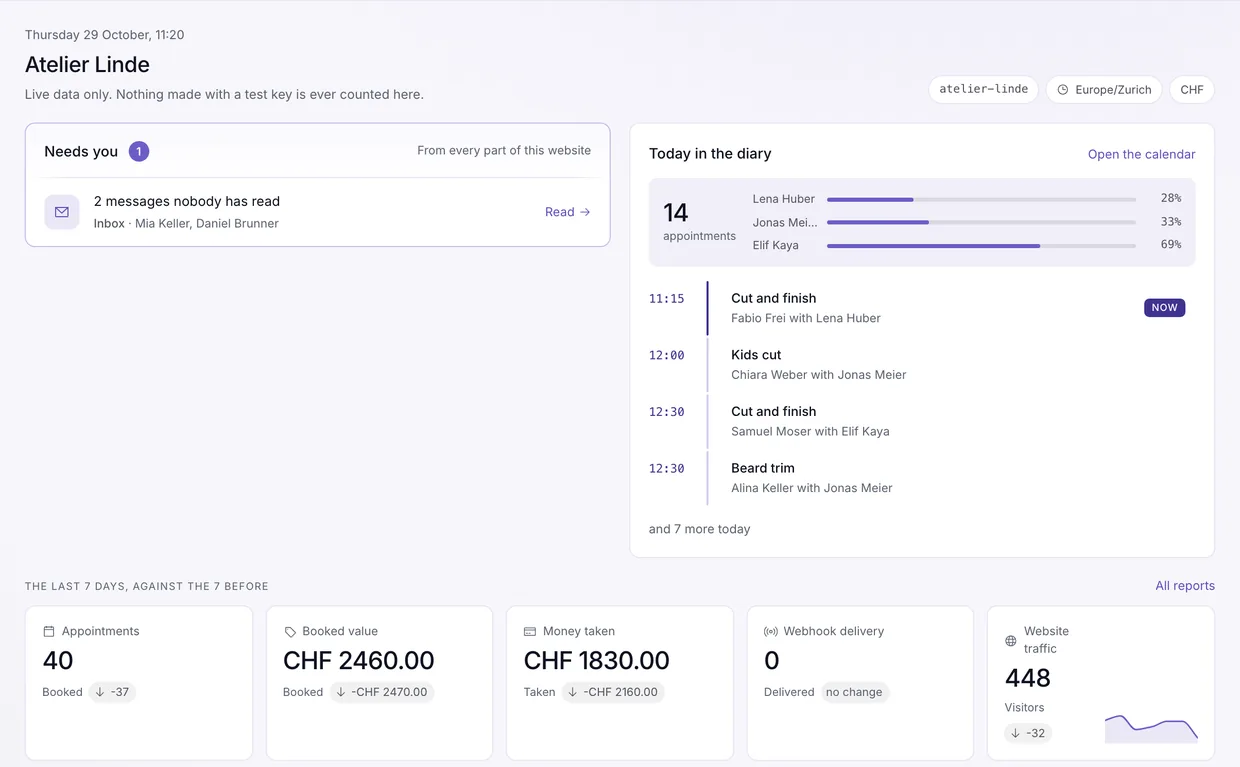
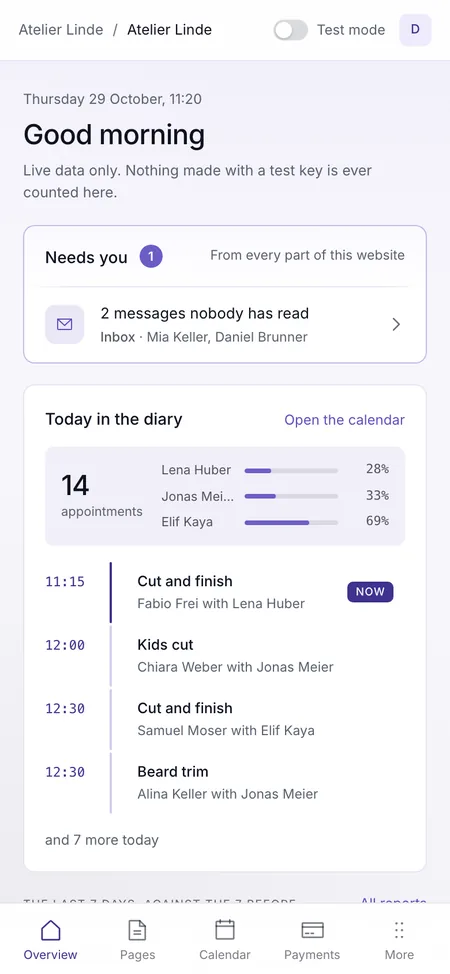
The online side of your business, without the usual headaches
Emailing a developer for every changeYou change it yourselfGuesswork, and a cookie bannerClear numbers, no bannerA payment app taking a cutEvery payment straight to youBooking by phone and messagesCustomers book themselvesA contact form full of spamThe real messages, spam kept apart
1 · Your website
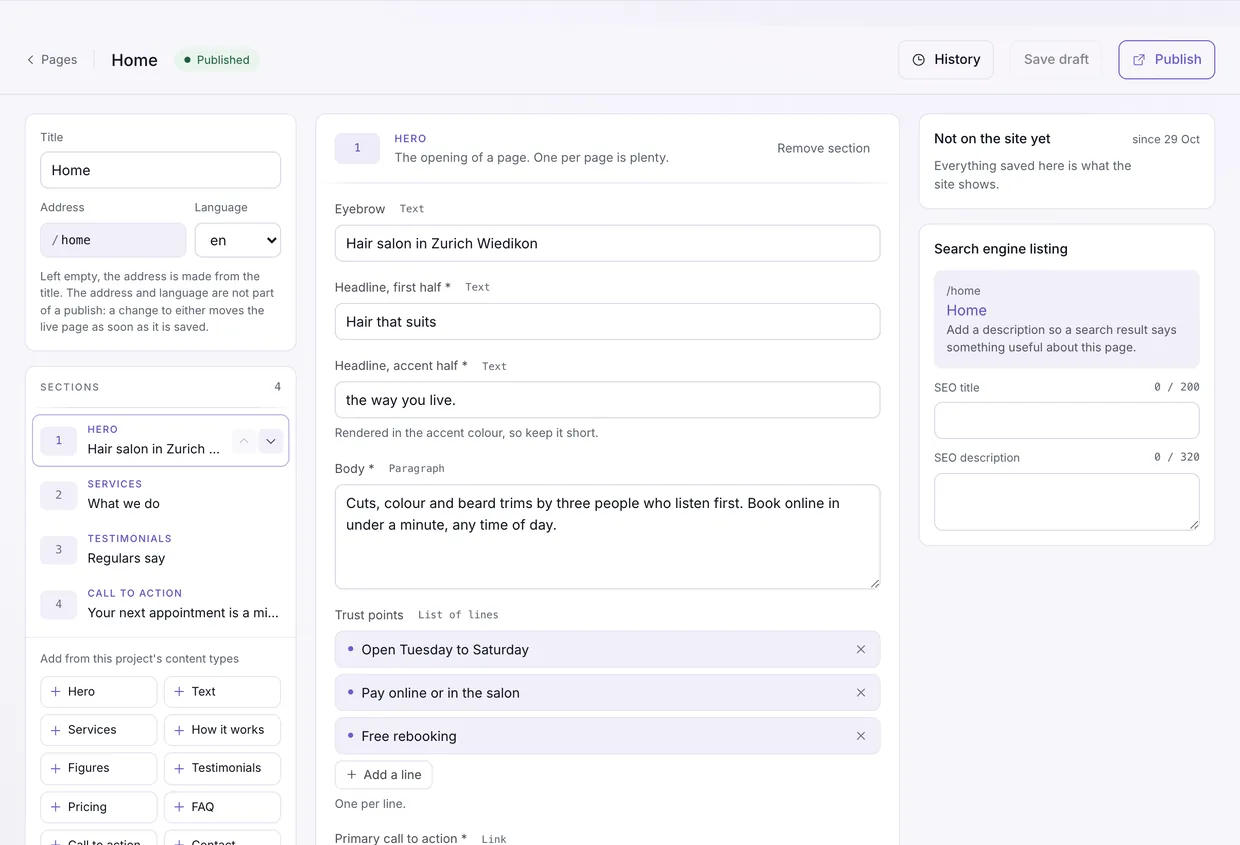
Change your website without calling anyone.
Headlines, prices, opening hours, a new section, a typo. Edit it, check the draft, publish when you're ready. You fill in fields, and the design stays the one your site was built with.
- Every page is made of sections with clear fields, so an edit never reaches the design
- Drafts, and the last 100 versions of every page to bring back
- One image library, each image with its description for search and screen readers
- Works with the design your site already has. Connected once, by you or your developer
2 · Your numbers
Know what's working, and what to fix.
See who visits, where they come from, which pages they read and where they give up. Name a goal, like a booking or a payment, and see which sources actually bring customers.
- No cookie banner: visitor numbers store nothing on your visitors' devices
- Goals and funnels, counted in real visits
- Campaign links made for you, for Instagram, Facebook, your Google Business Profile, a newsletter or print
- Who's on your site right now, and where your visitors come from by country, device and browser
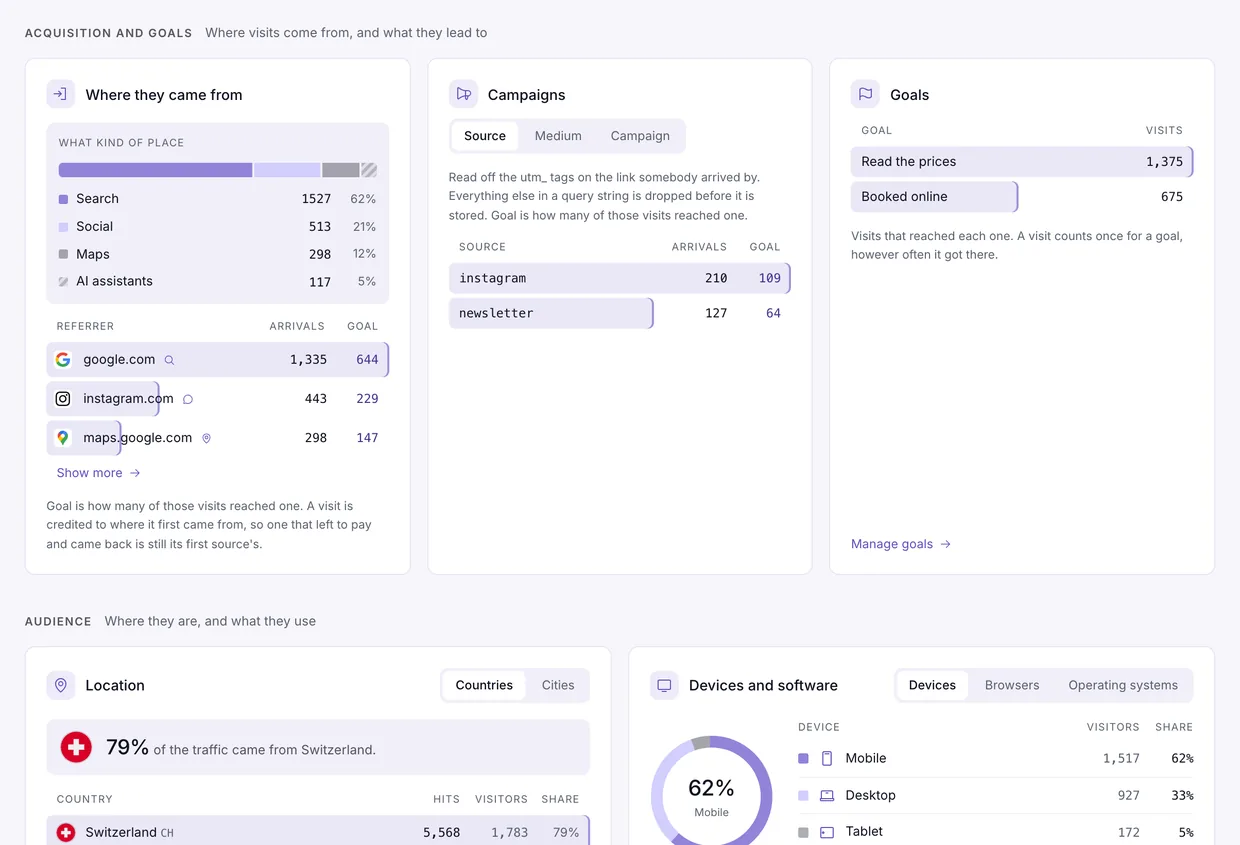
See when ChatGPT sends you customers
Visits from AI assistants get their own channel, so you know when people are sent your way by AI.
Know which AI reads your pages
AI crawlers are named one by one and kept out of your visitor numbers, so your figures are people.
Your figures side by side
Visitors, takings and bookings for the last 7 days, 30 days, 90 days or 12 months, against the span before.
See reports3 · Payments
Get paid on your website, without giving up a cut.
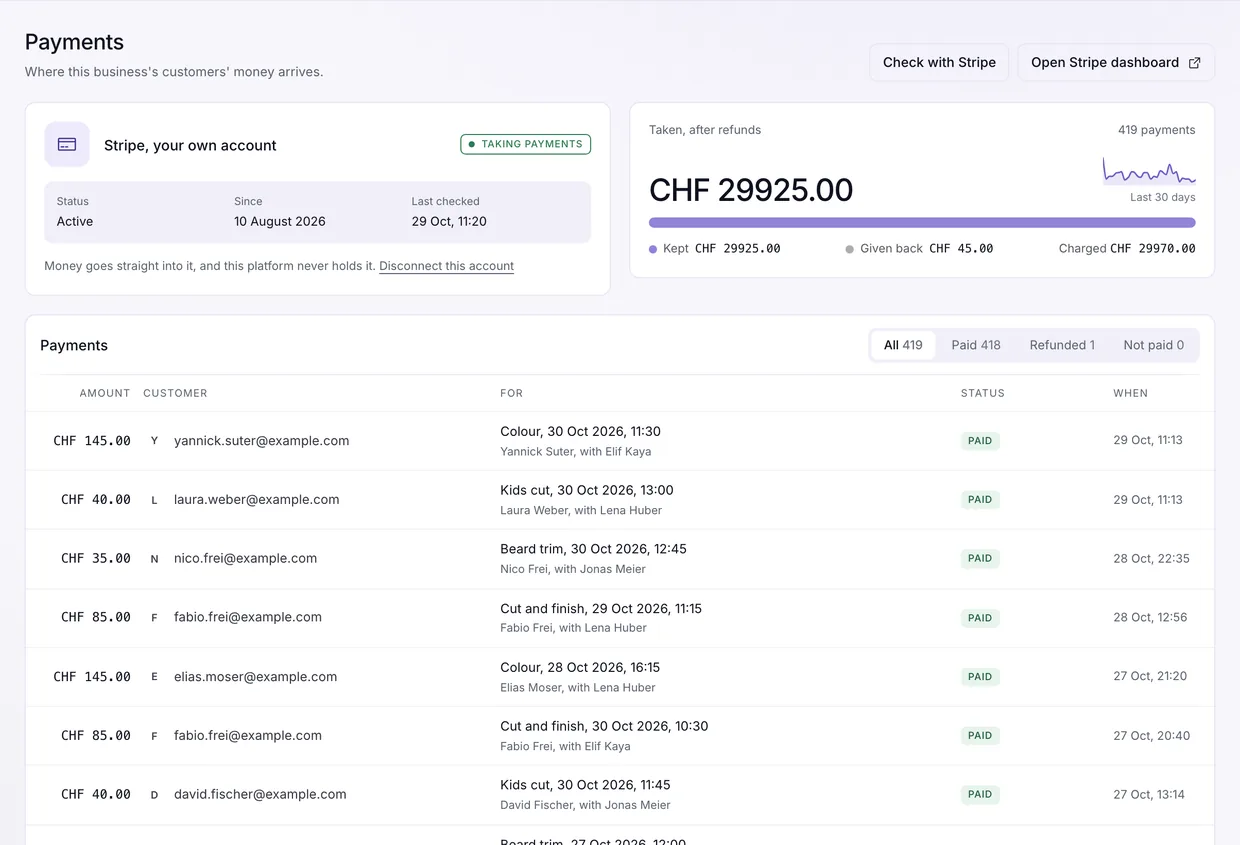
Every payment goes into your own Stripe account, with your business's name on the customer's statement. We never hold your money and take no share of it; Stripe's own fee is between you and Stripe.
- Deposits or the full price for bookings, chosen per service
- A checkout for anything else your site sells, added once by your developer
- Paid means paid: only Stripe's confirmation counts, never a back button
- Refund part or all of a payment from your dashboard, with the reason kept
4 · Bookings
Take appointments? Let customers book themselves, any hour.
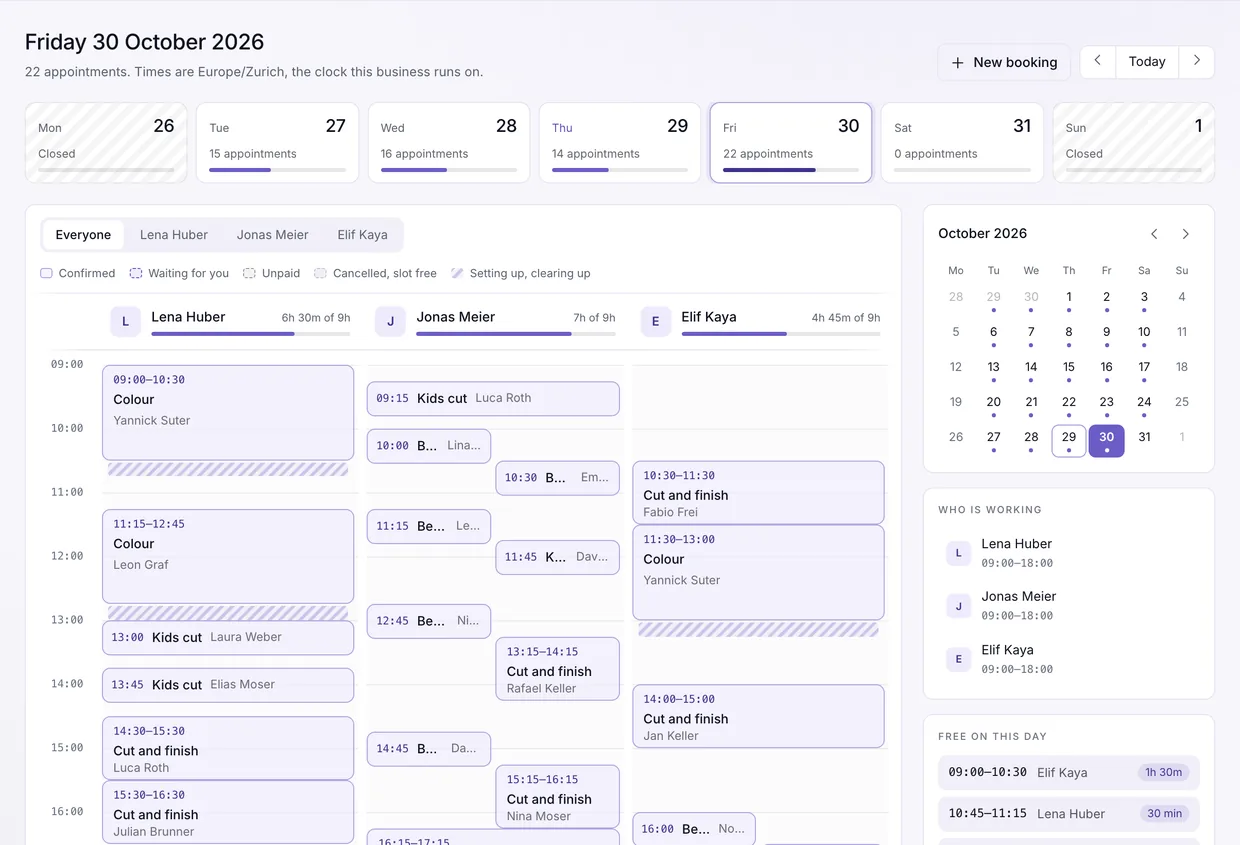
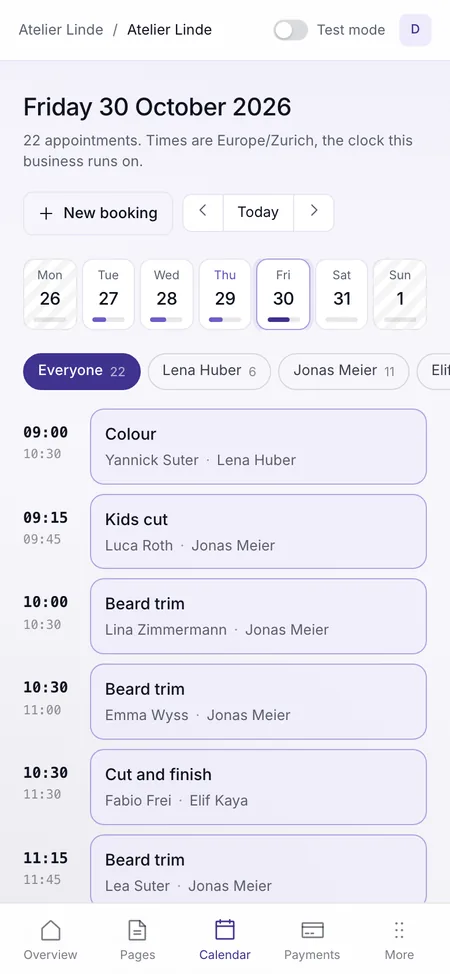
Your services, staff and opening hours, bookable on your website or on a ready booking page with your logo. Ask for a deposit so no-shows stop costing you.
- Two customers can never get the same slot, even at the same second
- A reminder email before each appointment, with your name and logo (a day ahead to start, changed in your booking rules)
- Customers move or cancel their own booking, within your rules
- Confirm every booking yourself, or let them confirm on their own
- No website? Share your booking page on Instagram, Google or WhatsApp
5 · Inbox
Your contact form, with spam kept apart.
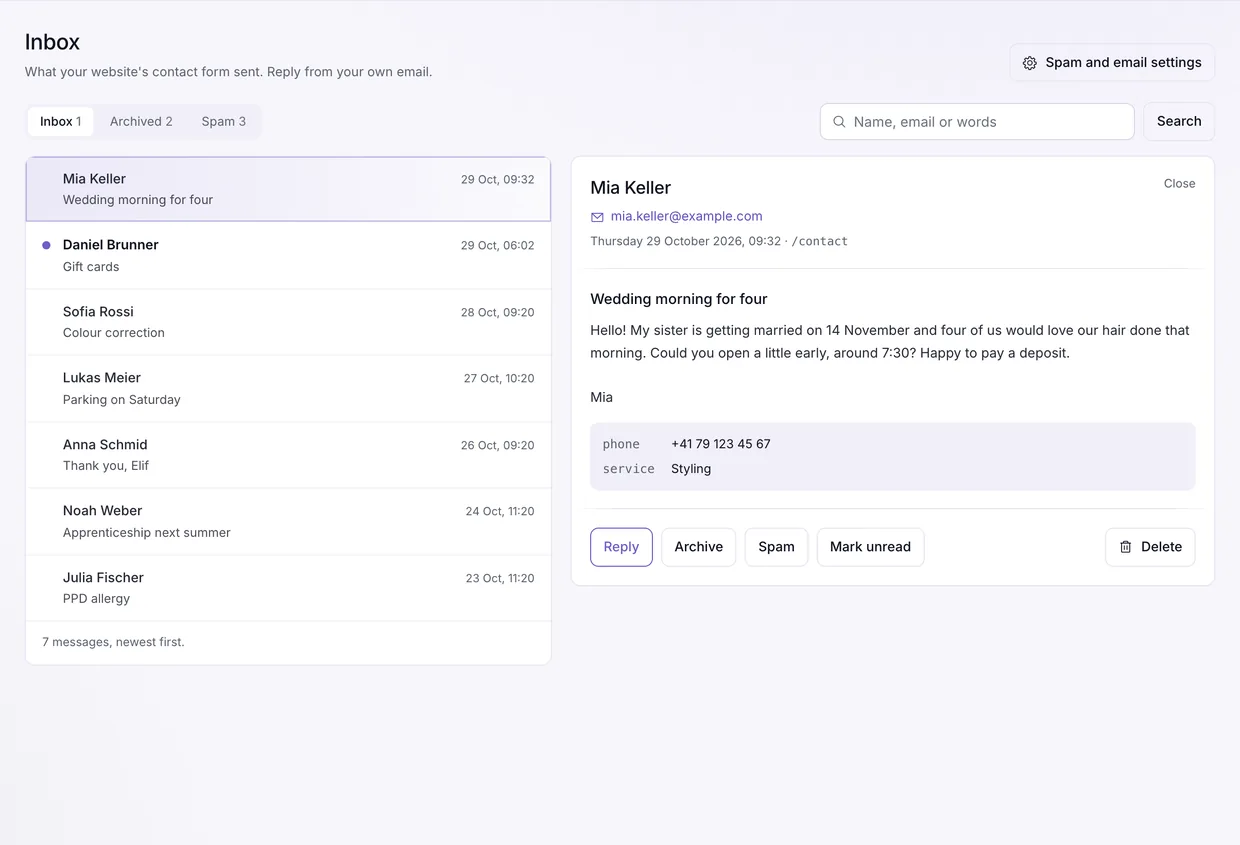
Your contact form sends messages to your inbox and your email, ready to reply to. What looks like spam goes to a folder of its own and is never emailed to you.
- Spam caught by a hidden field, a link count, a timer and limits per sender
- Nothing is ever sent to the address typed in, so nobody can use your form to email strangers
- Filed as spam by mistake? Move it back in one click
New · AI assistants
Run your website by just asking.
Connect ChatGPT, Claude, Cursor or VS Code to your website. Ask how the last 30 days went, close for a holiday, draft a page or move a booking, in plain words.
- Add one address to your app and sign in. Nothing to install, no key to copy
- You choose what it may do, part by part: off, read, or read and write where the part allows it
- It can never refund or move money, and reaches one website only
- Try it on a test connection first, then connect it to live
You: How did the last 30 days go?
Assistant: Takings were CHF 9,860, CHF 1,210 more than the 30 days before. You had 168 bookings, 21 more. Most visits came from Instagram, and 212 came from ChatGPT.
You: We're closed 24 to 26 December. Block those days and add a notice to the home page.
Assistant: Done. 24 to 26 December are closed for bookings, and the holiday notice is saved as a draft on your home page. Shall I publish it?
- ChatGPT
- Claude
- Cursor
- VS Code
- Other MCP apps
- Test booking
- Sat 10:00 · Mara
- Test payment
- CHF 45 deposit · paid
- Confirmation email
- Sent to you, not a customer
- Reports
- Not counted
Test mode
Try changes before your customers see them.
Add a service, a new person or new booking rules in test mode first. Book it, pay with a test card and get the emails yourself, then make it live. Test bookings never take a real customer's slot and never reach your reports.
Switch on only what your business needs
Every part is in the plan. What you don't use stays out of your way.
A shop, café or local business
Keep the website up to date, see who visits, answer real messages.
- Website
- Numbers
- Inbox
A coach or consultant
All of that, plus getting paid on your website, into your own account.
- Website
- Numbers
- Payments
- Inbox
A salon, clinic or studio
Everything: customers book, pay up front, and you see it all add up.
- Website
- Numbers
- Payments
- Bookings
- Inbox
Up and running in three steps
- 1
Switch on what you need
Website editing, web analytics, payments, bookings, inbox. Any mix, changed any time.
- 2
Connect your website once
You or your developer, one time. No website yet? Share your ready booking page instead.
- 3
Then run it yourself
Change it, measure it, get paid and booked through it, from one dashboard or your AI assistant.
For any business that runs on its website
And for the people who build those websites.
Building the site for someone?
Build the front end you want. Hand over a site the business runs itself.
One API for pages, analytics, payments, bookings and messages, with TypeScript packages and one key per website. The account, the money and the content stay with the business.
import { Client } from '@backendfree/core';
import { Cms } from '@backendfree/cms';

const client = new Client({
  origin: 'https://backendfree.com',
  key: 'pk_live_...',
});
const home = await new Cms(client).page('home');
- @backendfree/cms Published pages, as the typed sections the owner edits. cms.page('home')
- @backendfree/bookings Services, staff, availability and booking, with a token the customer manages it by. bookings.book({ ... })
- @backendfree/payments Checkout into the owner's own account. Server side, with a secret key. payments.checkout({ ... })
- @backendfree/webanalytics Page views and named events. It never throws, never waits, and stores nothing on the device. reporter.pageview({ ... })
- @backendfree/inbox A contact form's messages, past the spam checks, into the owner's inbox. inbox.send({ ... })
Your business stays yours
Your website, your customers, your money, your data.
Hosted in Frankfurt, Germany
The database and the application run in Frankfurt, Germany. Every other company that can touch your data is named, with where it is, on the sub-processor list.
Leave any time, take your data
Export your pages, appointments and payments through the API, free. For anything else, write to us.
Customer details looked after
Appointments and customers stay until you erase a customer or delete the website, and what is not your content has its own limit, listed in the privacy notice. Secrets are encrypted.
Two-step sign-in
Sign in with a code by email, and add an app code if you want.
One plan. Everything in it.
Website editing, web analytics, reports, payments, bookings, inbox and AI assistants. No cut of your takings.
- 250,000 API requests a month
- 10,000 analytics events a month
- Top up any time
Questions before you start
Short answers. For anything else, write to support@backendfree.com.
Will I lose my current website?
No. It keeps its own domain, design and hosting. We hold what sits behind it: the pages you edit, the appointments, the payments and the visitor numbers.
Do I need to know how to code?
Not to run it, and not to take bookings: switch on a booking page, then share its link or put it into a page of the website you already have. Showing the pages you edit takes a website built against them once, by you or a developer you hire, and the account stays yours either way.
Will my website need a cookie banner?
Not for our analytics: nothing is stored on or read from your visitors' devices, so there is nothing for a banner to ask about. If your website serves the EU, read the caveat in our privacy notice before you decide for yourself.
Where does my customers' money go?
Straight into your own Stripe account. It never passes through us, your name is on your customer's statement, and refunds are issued by you, from your dashboard.
What can a connected AI assistant do?
You pick the website, live or test, and what each part allows. It can never refund or move money, you can end it any time, and a connection left unused for 30 days ends by itself.
Can I add teammates?
No. An account has one person on it, the account holder.
What if I need more than one website on one account?
Write to us at support@backendfree.com and tell us what you are running. We will talk it through with you and set up an arrangement that fits.
Email usCan I cancel at any time?
Yes, from the Billing screen of your dashboard. It takes one click plus a confirmation, and you never have to telephone or write to us. Your plan keeps working until the end of the period you already paid for, and you can keep it any time before then. Nothing of that period is refunded: what you get instead is the rest of the period you bought.
Can I take my data with me?
Yes, and leaving costs nothing. Export through the API before you cancel, since it stops answering once a plan ends: it returns your published pages, your appointments with each customer's name and email, and your payment records. For anything else, or once a plan has ended, write to us and we will help, at no charge.
What if my website uses more than its monthly allowance?
Top it up from the Billing screen at any time. A top-up is added to the month you buy it in and does not carry over: one bought on the twenty-eighth is worth four days. The two allowances are separate, so running out of analytics events never stops the API your website reads from.
Everything behind your website, run by you.
Change it, measure it, get paid and booked through it. One plan, no developer on call, no cut of your takings.
Set it up for my website