No fee on your takings
The platform takes 0% of what your customers pay. You pay your plan and Stripe's own fees, nothing else.
Payments
In short
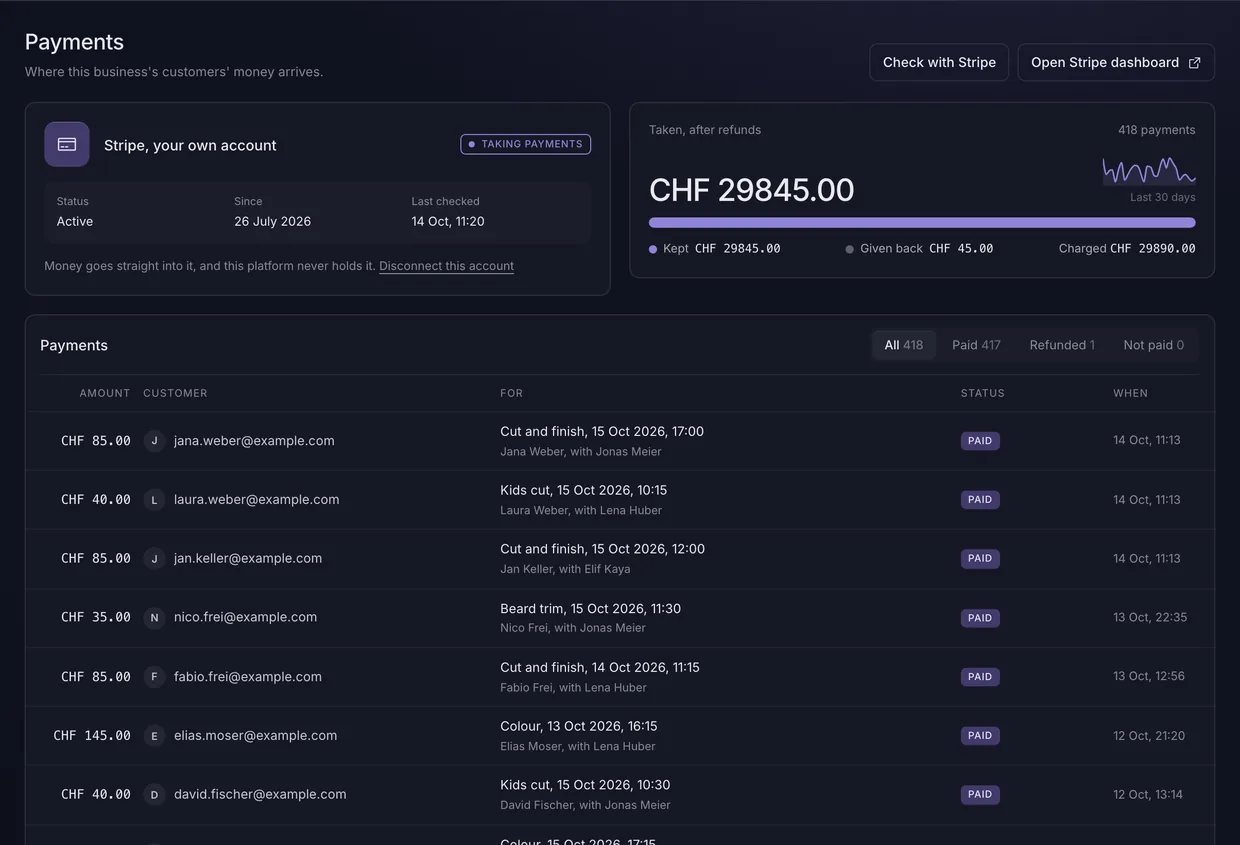
Connect your own Stripe account and every deposit or booking payment is charged into it. BackendFree never holds the money, takes no share of it, and confirms a booking only when Stripe says the payment went through.
In every plan, USD 9.00 a week or USD 29.00 a month, with every other part. Updated 6 October 2026.
Each of these is something the code enforces, and every figure is read from the setting that makes it true.
The platform takes 0% of what your customers pay. You pay your plan and Stripe's own fees, nothing else.
A deposit is a percentage or a fixed amount, never more than the price, worked out the same way for the page and the checkout.
Only the provider's verified message confirms a payment. Coming back from the payment page confirms nothing.
Partial or full, from the dashboard, and kept on the payment with when and why.
Every amount is a whole number of cents or rappen, from the database to the provider.
A log of every change to the payment connection, with who made it and from where, kept for 365 days.
For whoever builds the site
Bookings take care of their own payment. For anything else, a checkout is started on your server with a secret key, and the result arrives as a signed webhook.
checkout.ts
const payments = new Payments(serverClient);

const payment = await payments.checkout({
  amount: 3500,  // minor units: CHF 35.00
  description: 'Deposit',
  success_url, cancel_url,
});
redirect(payment.checkout_url);
Questions
Each answer starts with the answer.
No. Customers pay into your own Stripe account, and you pay Stripe's fees and your plan, nothing more.
Yours. The charge is made on your own account with the provider, so it carries your business's name.
The slot goes back. It is held while they pay, 15 minutes unless you change it, and is free again if no payment arrives. The payment page can be opened again within that time.
Yes. Refund any amount up to what is left, from the dashboard, with a reason that stays on the payment.
One plan holds every part. Switch on only the ones a website needs.