A field only scripts fill in
A hidden field people never see. A message with anything in it is answered as received, and nothing of it is kept.
Inbox
In short
Your website's contact form sends each message here. A real one lands in your inbox on the dashboard and in your email, with the sender's address to reply to, and anything that looks like spam is kept apart, where it reaches nobody.
In every plan, USD 9.00 a week or USD 29.00 a month, with every other part. Updated 15 October 2026.
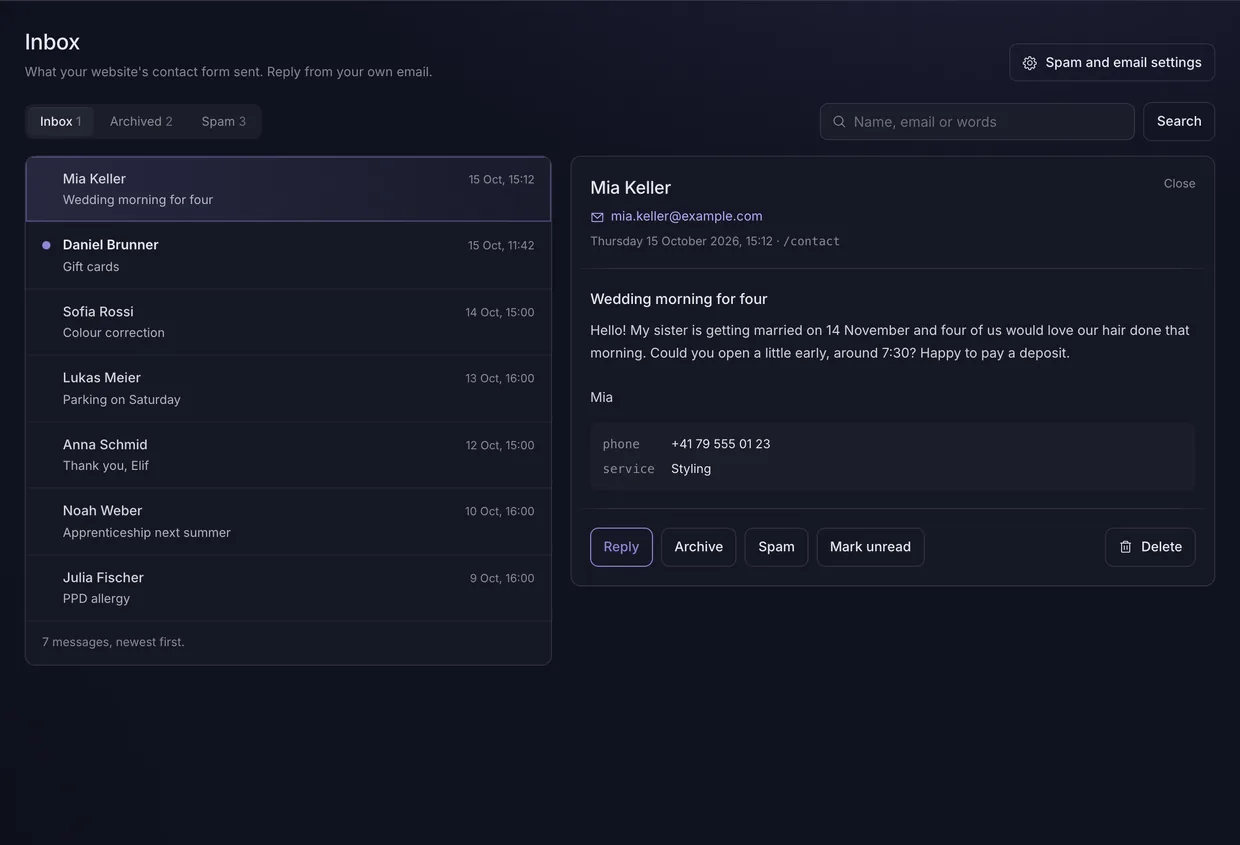
Each of these is something the code enforces, and every figure is read from the setting that makes it true.
A hidden field people never see. A message with anything in it is answered as received, and nothing of it is kept.
More than 2 web addresses across a message, any in the name, or a link written as code, and it is filed as spam.
The form says how long it was open, and one sent in under 3 seconds is filed as spam. Timed on the visitor's own clock, so a wrong clock is never the reason.
One visitor address may send 5 messages an hour from the browser, and the website takes 200 a day on its own clock. A message refused by either costs nothing from your month.
Add your own Turnstile keys and every message has to carry a token Cloudflare accepts. If Cloudflare cannot be reached, messages still arrive.
Each message in the inbox is emailed to you, at most 20 an hour, the last saying so. Nothing is ever sent to the address typed into the form, so it cannot be used to mail strangers.
Never emailed and never sent to a webhook. It waits 30 days in its own folder, and one filed there by mistake moves back to the inbox.
A message keeps the name, email address, subject and words, the page's path and any fields your form adds. No address, browser details or query string.
A signed message.received webhook carries the message's id and nothing anybody wrote. Your server reads the message with a secret key.
For whoever builds the site
A publishable key is enough to send, so the form can post straight from the browser. Reading messages back needs a secret key, because each one is a stranger's name, address and words.
contact.ts
import { Inbox, formTimer } from '@backendfree/inbox';

const inbox = new Inbox(client);
const opened = formTimer();  // when the form appears

await inbox.send({
  name, email, message,
  page: location.pathname,
  honeypot: hiddenField.value,
  filled_in_seconds: opened(),
});
Questions
Each answer starts with the answer.
To your inbox, and your email. Each one is listed under Inbox on the dashboard and emailed to you with the sender's address to reply to, unless you switch the emails off.
By checks every message meets first. A hidden field only scripts fill in, a count of the web addresses in a message, how fast the form was sent, limits per sender and per day, and Cloudflare's bot check once you add your keys.
No. A message kept, one filed as spam and one caught by the hidden field are all answered the same way, so a script learns nothing to change.
It waits 30 days, then goes. It is kept in the Spam folder, never emailed and never sent to a webhook. One filed there by mistake moves back to the inbox, and your website is told about it then.
No. Only you are emailed. A form that wrote to whatever address was typed into it would let anybody send mail through it, so you reply from your own email.
No, it is optional. The built-in checks run on every form. For one a script keeps getting past, add your own Turnstile keys in the inbox settings and every message has to carry a token Cloudflare accepts.
200 a day. Each website takes 200 messages a day, counted on its own clock, and a form in the browser takes 5 an hour from one visitor address. Past the day's, the form is told so until midnight.
365 days. Messages are deleted 365 days after they arrive, archived ones included, and spam after 30. You can delete one sooner from the dashboard.
One plan holds every part. Switch on only the ones a website needs.