Your hours, your breaks
Opening hours, one-off changes and time off per person, read on your business's own timezone, clock-change weekends included.
Bookings
In short
BackendFree keeps your services, staff, opening hours and appointments. Customers book on a booking page hosted here, which you link to or put inside your website, or on your own site through the API. A deposit can be asked for when they book, and you see the whole day in one calendar.
In every plan, USD 9.00 a week or USD 29.00 a month, with every other part. Updated 16 October 2026.
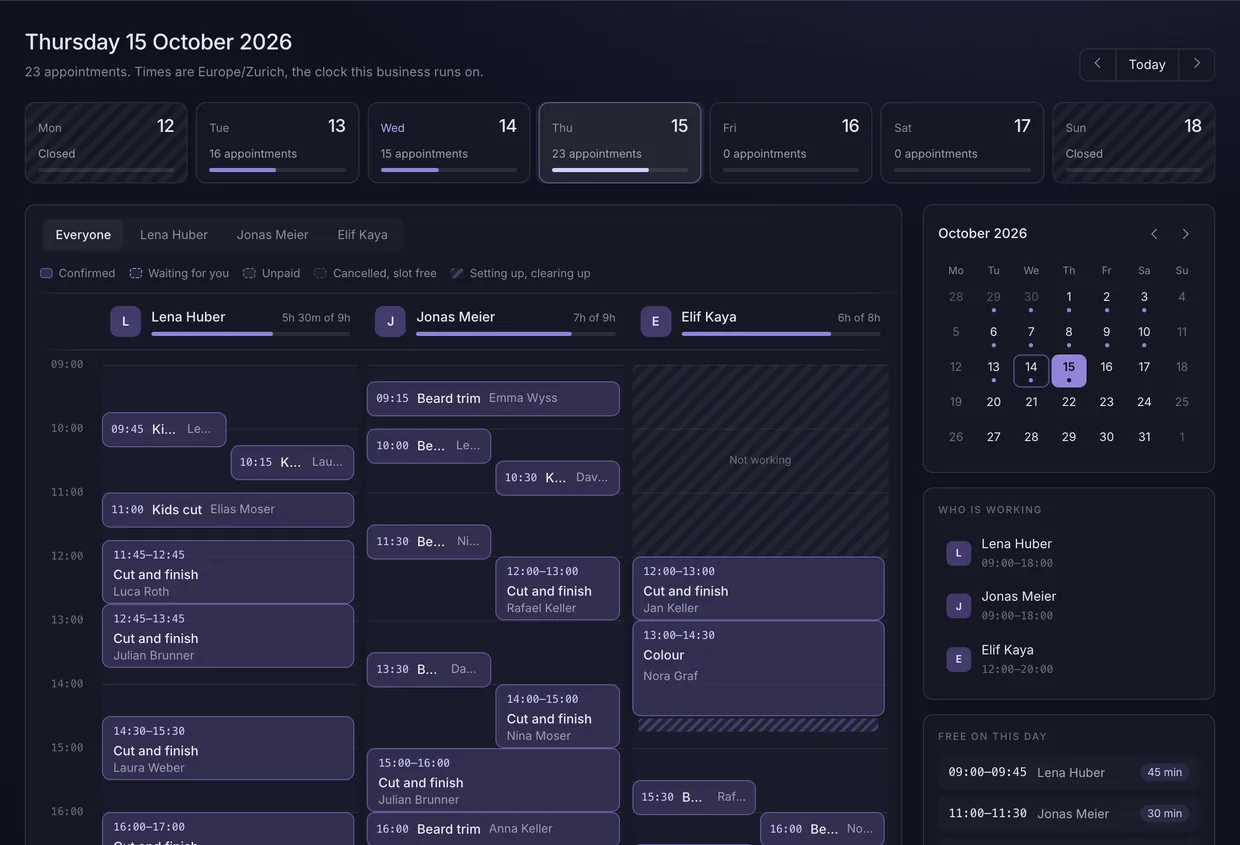
Each of these is something the code enforces, and every figure is read from the setting that makes it true.
Opening hours, one-off changes and time off per person, read on your business's own timezone, clock-change weekends included.
The database refuses the second booking for a slot that is taken, rather than a check that was right a moment earlier. A booking taken by phone goes in the same diary, from the calendar.
Ask for nothing, a deposit or the full price, per service. While the customer pays, the slot is held for 15 minutes unless you change it, then given back if no payment arrives.
Confirm every booking automatically, or have each one wait for you in the calendar, with an email to you when it arrives.
The confirmation carries a private link where the customer changes or cancels that one booking, on a page hosted here unless you name one on your own site, and nobody needs an account.
Confirmations, reminders, moves and cancellations carry your business's name and the times on your clock, with a calendar file that keeps up.
For whoever builds the site
A publishable key is enough to show free times and take a booking from a browser. Reading the whole diary needs a secret key, because it is every customer and where they will be.
book.ts
const { slots, timezone } = await bookings.availability({
  service: services[0].id,
});

const booking = await bookings.book({
  service: services[0].id,
  starts_at: slots[0].start,
  customer_email: 'sam@example.com',
});
Questions
Each answer starts with the answer.
No. Switch on a booking page in the dashboard, at an address you pick and in your colour. Customers choose a service, a person and a time there, and pay a deposit if you ask. Share its link, or paste the tag the dashboard gives you into a page of your website, and try it in test mode first.
Yes. Put the booking page into a page of your website, where it fits itself to each step, or have your website show the free times and take the booking through the API, so customers stay on your domain until they pay.
Yes. Set a service to ask for a deposit or the full price. It is charged into your own payment account, and the booking is confirmed only when the payment provider says it was paid.
The database. A second booking for a slot that is taken is refused where it is stored, so two customers clicking at the same moment cannot both get it.
Yes. Switch your business to confirm by hand and each booking waits in the calendar until you accept or cancel it. You get an email as each one arrives, and the confirmation email goes out to the customer when you accept.
No. They book with an email address, and the confirmation can carry a private link to change or cancel that one booking.
Yes, from their page in the dashboard. Each customer has a page with their bookings, where you correct their details, download everything you hold about them, or erase them. Erasing removes their name, email address, phone number and your notes about them, while their past appointments stay in your calendar and figures.
One plan holds every part. Switch on only the ones a website needs.